











Getting listed on Google is one of the most important steps for any local business. When people search for a plumber, attorney, dentist, electrician, solar company, restaurant, medical office, or any other local service, Google Business Profile is often the first place they look. A properly verified listing can help your business appear on Google Search and Google Maps, show your phone number, display your hours, collect reviews, upload photos, publish updates, and send potential customers directly to your website or phone line.
Google Business Profile used to be called Google My Business, and many business owners still refer to it by the old name. The purpose is the same: it allows a real local business to manage how it appears on Google. However, getting listed is not always easy. Google has made the verification process stricter because fake listings, lead-generation spam, virtual offices, keyword-stuffed business names, fake addresses, and duplicate profiles have caused problems for users and legitimate businesses. Google says only eligible businesses can add or claim a Business Profile, and the process is free.
Why Google Business Profile Matters
A Google Business Profile is not just another directory listing. It is one of the main trust signals for local customers. When someone searches for a service near them, the Google Maps results often appear before the regular website results. That means a business with a strong, verified, and optimized profile can receive phone calls before the customer even visits the website.
Google local results are mainly influenced by relevance, distance, and prominence. Relevance means how well your profile matches what the person is searching for. Distance refers to how close your business is to the searcher or the location used in the search. Prominence refers to how well-known and trusted your business appears to be, based on reviews, online mentions, links, and overall reputation. Google also states that businesses cannot pay or request a better local ranking, which is why accuracy and optimization matter so much.
Step 1: Confirm That Your Business Is Eligible
Before creating a listing, make sure your business is eligible. Google wants to list real businesses that either serve customers at a physical location or travel to customers in a defined service area. A storefront business, such as a dental office, retail store, restaurant, or auto repair shop, usually displays its address because customers visit the location. A service-area business, such as a plumber, electrician, locksmith, HVAC company, mobile dog trainer, or home inspector, may travel to customers rather than serve them at its business address.
This distinction matters because entering the wrong business type can lead to verification issues or even a suspension. If you do not serve customers at your location, Google says you should not include your business address in your public profile. Service-area businesses should hide the address and list the areas they serve.
Step 2: Use The Correct Business Name
Your business name should match your real-world business name. Do not add extra keywords, city names, phone numbers, services, or marketing slogans unless those words are genuinely part of your business name as shown on signage, business cards, invoices, website branding, and legal documents.
For example, if the real business name is “ABC Plumbing,” do not create the profile as “ABC Plumbing Best Emergency Plumber Orange County.” That may look good for SEO, but it violates Google’s naming rules and can trigger a suspension. Google specifically says the business name should reflect the real-world name used consistently on your storefront, website, stationery, and by customers. It also says that unnecessary information in the business name is not permitted and could result in suspension.
Step 3: Enter A Real Address Or Correct Service Area
If customers visit your business location, enter the exact physical address. The address should match your website, lease, utility bill, business license, signage, and other public records. Avoid using fake suites, mailbox locations, P.O. boxes, virtual offices, or shared addresses where your staff is not actually present.
Google states that a Business Profile should be created for the actual real-world location and that P.O. boxes or remote mailboxes are not acceptable. Google also says a virtual office is not eligible if the business does not operate from that location. Co-working spaces can be risky unless the business has clear signage, receives customers during business hours, and is staffed during those hours.
For service-area businesses, enter the actual business address for verification, but hide it from the public if customers do not come to the location. Then add the cities, ZIP codes, or areas you actually serve. Google allows up to 20 service areas, and the overall service area should generally not extend more than about 2 hours of driving time from the business’s location.
Step 4: Choose The Right Business Category
Your primary category is one of the most important parts of your listing. Choose the category that best describes your business, not every service your business offers. A personal injury law firm should use a category that accurately describes its practice. A dental office should use the most accurate dental category. A solar contractor should use the category that best describes the business as a solar company or solar energy contractor, depending on the available options.
Google recommends using as few categories as possible, choosing categories that are specific and representative of the main business, and avoiding categories used only as keywords. Google explains that the category should complete the sentence “This business is a,” not “This business has a.”
Step 5: Add Accurate Phone Number, Website, Hours, And Description
Your phone number should connect directly to your business. A local number is usually better than a central call center number when possible. Your website should represent the actual business location, not a lead-generation page or an unrelated third-party page. Your business hours should align with the times when customers can contact you or visit your location.
Your business description should explain what your company does, who you serve, and what makes your business trustworthy. Do not stuff it with city names or promotions. Google says the description should provide useful information about services, products, mission, and history, and it should be honest, relevant, and helpful to customers. It should not contain low-quality, irrelevant, or distracting content, special promotions, prices, or links.
Step 6: Add Or Claim The Listing
If your business does not already appear on Google Search or Maps, you can create a new profile. Go to the Google Business Profile setup page, select “Add your business to Google,” enter your business details, and follow the verification steps. If your business already appears on Google but isn’t verified, you can claim it in Google Maps by searching for the business name and city, selecting the profile, clicking “Claim this business,” and following the verification process.
If someone else already verified the listing and you are authorized to manage the business, do not create a duplicate listing. Request ownership access instead. Creating a second listing for the same business can confuse Google and may create ranking, verification, or suspension problems.
Step 7: Complete Verification
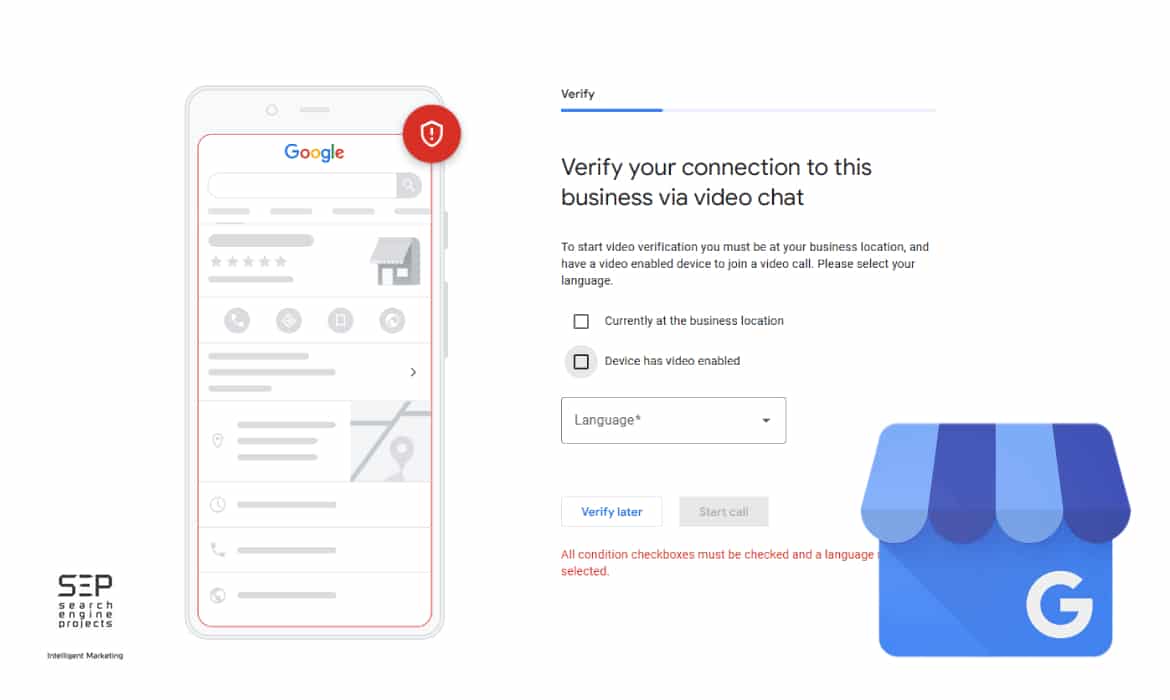
Google may offer different verification methods depending on the business, category, address, account history, and risk level. Some businesses may see phone, text, email, postcard, live video, or video recording options. Many businesses now receive video verification because Google wants stronger proof that the company is real and that the person verifying it is authorized to manage it.
Video verification is strict. Google says the video must be an unedited, unique, and complete recording with no breaks. It must be at least 30 seconds long and must be recorded and uploaded from a mobile device through the Business Profile. You cannot record it offline and upload it later. The video should also avoid sensitive or private information and other people’s faces.
What To Show In A Google Verification Video
If you are a storefront or hybrid business, the video should show the outside of the business, nearby street signs, building numbers, neighboring businesses, permanent signage, interior workspace, and proof that you manage the business. Proof of management can include unlocking a door, opening a cash register, accessing a storage room, using a point-of-sale system, or showing access to restricted employee-only areas.
Google says storefront and hybrid videos should show the business location, proof that the business exists, and proof of management. The business name shown in the video should match the name on the Business Profile, and the signage should be affixed to a permanent fixture, such as a signboard, wall, or window.
If you are a service-area business, the video should show where the business operates, the tools or equipment used for work, branded materials, business cards, uniforms, vehicles, workspace, or documents that match the business name. Google says service-area businesses can show street signs or landmarks near the business address, professional tools or equipment, and proof of management, such as unlocking a branded vehicle or showing a business permit, invoice, or utility bill that matches the Business Profile.
What To Do If The Video Upload Does Not Work
If your verification video does not upload, do not immediately change the business name, address, category, phone number, or website. Too many changes during verification can create more problems. First, check your internet connection, use a mobile device, make sure you are signed into the correct Google account, and try the upload again.
Google states that videos sometimes fail to upload on the first try and recommends uploading again. Google also says that if you still encounter issues, you can try another available verification method if one is offered.
What To Do If You Uploaded The Video But Still Are Not Approved
If the video was uploaded but the profile is still not approved, review the video against Google’s requirements. Most failed videos have one of these problems: the business name is not visible, the signage is temporary, the address does not match, the video does not show enough local surroundings, the person recording does not prove management access, the video skips important proof, the business is listed as a storefront when it should be service-area, or the service-area business does not show enough tools, equipment, documents, or business assets.
The next step is to prepare a better video before trying again.
Start outside with street signs, building numbers, or recognizable landmarks. Show the business entrance or workspace. Show permanent signage if customers visit the location. Show business tools, a branded vehicle, a license plate, an invoice, a utility bill, a business card, or a workspace. Show that you can access business-only areas or assets. Keep the recording continuous, clear, and steady.
If Google asks you to reverify after changes to your business information, do not panic. Google says changes to business information may require re-verification to keep information accurate.
What To Do If Your Google Business Profile Gets Suspended
A suspension means Google has restricted or disabled the profile because it believes the listing may not comply with its guidelines. This does not always mean the business is fake. Sometimes legitimate businesses are suspended due to incorrect details, risky edits, duplicate listings, virtual office issues, category problems, service-area mistakes, or keyword stuffing.
The first thing to do is stop making random edits. Do not create a new profile. Do not change the name more than once. Do not keep resubmitting the same information. Instead, carefully compare your profile against Google’s rules.
- Check the business name. Does it match the real-world name?
- Check the address. Is it a real location where the business operates?
- Check the service area. Are you hiding the address if customers do not visit you?
- Check the category. Is it accurate?
- Check the website. Does it match the same business name, address, phone number, and services? Check the phone number. Does the business control it?
- Check for duplicates. Is there another profile for the same business?
Google says it may suspend or disable Business Profiles that do not follow the guidelines, and if you believe the profile should be reinstated, you can submit an appeal. Before submitting the appeal, Google says to ensure the profile complies with all guidelines.
Need Help With A Suspended Google Business Profile?
Search Engine Projects can review your listing, identify possible suspension triggers, prepare your appeal evidence, and help improve your chances of reinstatement.
Evidence To Prepare Before Appealing
Before you appeal, gather documents that prove the business is legitimate. Useful evidence may include a business license, contractor license, professional license, utility bill, lease agreement, insurance document, tax document with sensitive information hidden, photos of permanent signage, photos of branded vehicles, photos of office interior, business cards, invoices, website screenshots, and proof that the business name, address, and phone number are consistent.
The evidence should match the profile exactly. If the profile lists “ABC Solar” but the license lists “ABC Energy Inc.,” you may need to clarify the relationship between them. If the address is different from the one on the utility bill, update the profile or provide documentation explaining the discrepancy. Consistency is critical.
How To Appeal A Suspended Profile
Use the Google Business Profile appeals tool while signed into the Google account that manages the listing. Select the suspended profile, review the reason for the moderation action, read the linked policy, choose the decision you want to appeal, and submit the appeal. After submitting, Google may allow you to add supporting evidence.
This part is very important: Google says that if you open the evidence form, you must submit the supporting evidence within 60 minutes, or it will not be attached to your appeal. Google also says it will review the appeal and send an email with the decision.
Do not submit multiple appeals for the same issue before receiving a decision. Google specifically warns against submitting multiple appeals for the same issue before a decision is made. The appeals tool can show statuses such as submitted, approved, not approved, cannot be appealed, or eligible for appeal.
Need Help With A Suspended Google Business Profile?
Search Engine Projects can review your listing, identify possible suspension triggers, prepare your appeal evidence, and help improve your chances of reinstatement.
What To Do If The Appeal Is Not Approved
If the appeal is not approved, do not create a new listing immediately. First, review the reason for denial. Then compare every profile field against Google’s guidelines again. Look for hidden problems such as a business name that contains extra keywords, a virtual office address, a home address displayed publicly for a service-area business, a category that does not match the core business, duplicate profiles, a phone number that forwards to another company, or a website that does not clearly prove the business.
If you operate outside the UK and EEA and need to appeal rejected business information edits, restricted media, or other content restrictions, Google says to use the “contact us” form. Google also says that if the initial reply does not resolve the issue, you can reply to the email, and the support team will assist with the appeal.
Why Google Makes It So Hard To Get Listed
Google makes the process difficult because local search results directly affect customers. If fake businesses appear on Google Maps, customers may call nonexistent companies, be directed to lead brokers, visit the wrong address, or choose an unlicensed company.
This is especially serious in industries like legal services, healthcare, locksmith services, home services, financial services, and emergency repair services.
Google also has to protect legitimate businesses. If fake listings can easily appear with keyword-stuffed names and fake addresses, real companies lose visibility to spam. That is why Google requires accurate names, real addresses or correct service areas, proper categories, and proof that the person verifying the profile actually represents the business. Google states that its guidelines are designed to maintain high-quality information and help avoid problems, including changes to information or removal from Google.
Final Checklist For Getting Approved
Before submitting or appealing a Google Business Profile, make sure the business name matches real-world branding, the address is accurate, the service area is realistic, the category describes what the business is, the phone number belongs to the business, the website matches the business information, the hours are accurate, and there are no duplicate listings.
For video verification, prepare before recording. Show the location, surroundings, signage, workspace, tools, documents, vehicle, and proof of management. Make sure the video is clear, continuous, unedited, and recorded through the Business Profile on a mobile device. For a suspension, fix the profile first, collect evidence, submit one strong appeal, attach evidence within the required time, and wait for the decision before filing again.
Getting listed on Google can be frustrating, but the best approach is to treat the process like a compliance review. Google is not only checking whether the business exists. It is checking whether the listing accurately represents the real business, whether the location is legitimate, whether customers can trust the information, and whether the person managing the profile has authority. When all those details are consistent, the likelihood of approval or reinstatement increases significantly.
Contact Search Engine Projects if you need help restoring, appealing, or relisting your Google Business Profile.